
RAG on service documentation: faster diagnosis in machine service
> Reading time: about 6 minutes · Who it is for: service managers and dispatchers, machine technicians, heads of after-sales at machine and line builders, owners weighing up AI in service.
Context
Machine and line builders increasingly earn not on the sale of the equipment itself but on after-sales service: maintenance contracts, parts, response time. That means the service department handles a fleet of machines in many versions, at many customers, each with its own configuration and its own history. The knowledge needed for a fast repair is in the company, but scattered: across service manuals, reports from previous visits, technical bulletins and the heads of a few senior technicians. This page describes one concrete workflow inside that reality: how RAG grounded in a company's own service documentation shortens the path from a fault report to an accurate diagnostic hypothesis, without taking the decision away from the technician.
Problem
The service documentation exists, but in practice it does not work. A service manual describes how the machine is meant to run and how to take it apart, not how a 2019 unit actually fails after its control system was upgraded. That second kind of knowledge sits in reports from previous repairs that nobody opens on a new ticket anyway, because it is faster to call a colleague. Three things hurt most. First, the same symptom returns on different machines, and the technician diagnoses it from scratch every time, unaware that someone cracked it a year ago. Second, response time is written into the service contract, yet what eats the most time is not the repair itself but working out what is actually broken. Third, when an experienced technician leaves, the fixes leave with them, fixes that were never properly written down, while the customers' machine fleet stays.
Solution
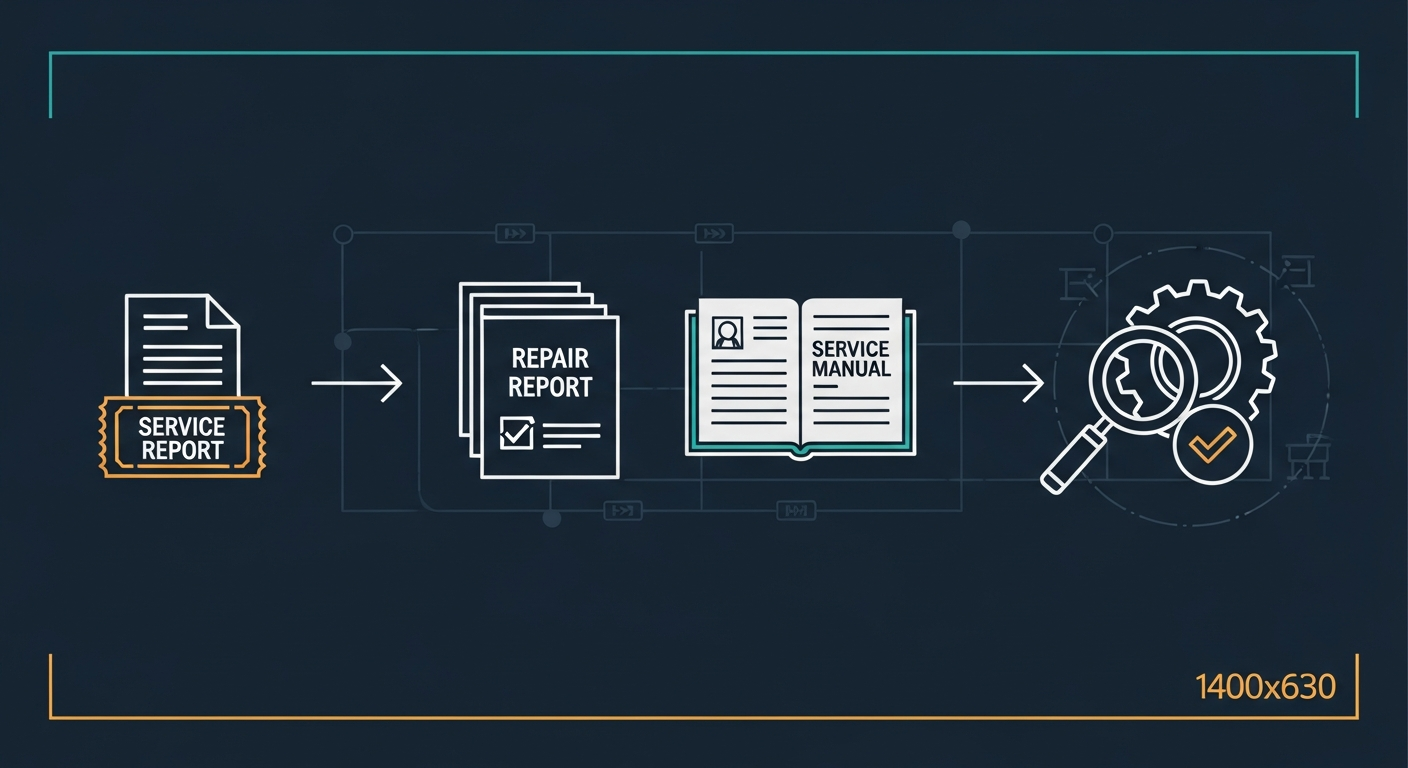
Instead of yet another portal of manuals to click through, AI gets one job: to turn the service documentation and the history of closed tickets into a source of hints for the current ticket. The model uses retrieval-augmented generation (RAG) over its own corpus: service manuals, repair reports, technical bulletins and machine configuration cards. For a new report it does three things: it narrows the context to the right machine and its version, surfaces similar closed cases together with what worked back then, and hands the technician a list of likely causes with links to specific reports and manual sections. The principle is the one we repeat in every sensible rollout: AI narrows, a person decides. The model does not close the ticket, does not issue the report and does not decide which part to replace. It only shortens the path to the first good hypothesis and makes sure the knowledge from earlier repairs is not forgotten. The quality of the answer here rests on retrieval, not on the model alone: if the right fragment is described in three words with no context, no model will surface it. How to set granularity and avoid fabrication we broke down in [RAG without hallucinations](/en/k/rag/rag-bez-halucynacji-chunking-retrieval-jakosc).
How it works (workflow)
1. **A service ticket comes in.** From the hotline, the customer portal or a technician in the field: a symptom description, the machine, any error codes. AI reads the ticket and identifies which machine and which version it concerns. 2. **Narrowing the context to the machine.** The model limits the search to the documentation and history of that specific configuration rather than the whole catalogue. This is the first step that cuts off answers "from another machine". 3. **Retrieval of similar repairs and procedures.** The system pulls the most related closed tickets from the archive (what the symptom was, what turned out to be the cause, what was replaced) plus the relevant sections of the service manual and bulletins. 4. **A proposal for the technician.** The model gives a list of likely causes with links to specific reports and manual pages, plus a draft of diagnostic steps. This is an input to the diagnosis, not its closure. 5. **A person decides.** The technician checks the hypotheses on the machine, discards false trails and decides on the repair. The decision and the responsibility stay with the person. 6. **Closure feeds the base.** The repair report returns to the corpus the model draws on, so the next similar ticket starts from a better hint. The loop closes.
Why after-sales machine service specifically
Because there is both time pressure and data here. A service contract dictates response time, and every closed repair leaves a trace: symptom, machine, version, cause, part replaced. Over the years an archive of cases described in a repeatable schema builds up, and that is exactly the material retrieval works well on. The paradox is that the longer a company services, the more valuable the archive it builds and the less often it looks into it, because on a ticket it is faster to ask a colleague than to dig through reports.
This is what sets service documentation apart from a machine's technical documentation. The manufacturer's manual says how the equipment is meant to run. The service documentation, meaning repair reports and bulletins, says how it actually fails in the field. How AI uses that first layer we broke down separately in RAG for technical documentation. This page is about the second layer.
What RAG really does here
It narrows. Before it suggests anything, it limits the search to the right machine and its version. Without that step a hint "from another configuration" sounds credible and leads astray.
It reminds. To a new ticket it adds specific historical repairs with the cause established back then and the part replaced. The technician does not start from a blank page but from "in three similar cases it was this, check there first".
It cites. Every suggestion points to which report or which manual page it came from. That way the technician sees at once whether an answer has real grounding or merely sounds good. Source citation is not decoration, it is the condition for trusting the tool.
What RAG does not do here (and should not)
It does not make the diagnosis. It gives candidates, the verdict belongs to the technician. A model can propose a cause that fits the words in the ticket rather than the physics of the machine, and it will do so in the same confident tone as a correct hypothesis. That is why its output is a list to check, not a decision to replace a part.
It does not know what is not in the data. If the real cause is a modification made at the customer's site, outside the service team's knowledge and recorded in no report, the model will not point to it. It learns only from what was written down.
It does not replace going to the machine and measuring. A diagnosis from the archive alone, without inspection and machine data, is guessing with better packaging. RAG shortens the history analysis, it does not remove the duty to verify on site.
Preconditions
Two, without which there is nothing to discuss. The first is access to the service documentation and ticket history in a form the model can read and reasonably consistent: reports closed with a real description of the fix, not "fixed, ok". The second is a process in which every model suggestion passes through the technician before the repair decision. It is the same foundation we described in service knowledge management: without an orderly source no tool works sensibly. This page shows what the path from ticket to diagnosis looks like; that note covers how to keep the base's quality and ownership so the path has something to draw on.
How to start narrow
Not with "AI for all of service", but with one family of machines or one group of recurring faults that returns most often and hurts most. Then the corpus to search is smaller and more consistent, and the effect shows on the next few tickets. In practice with RAG on production documentation, a narrow, well-described scope always beats a broad, blurry one. Only once one family works is it worth adding the next.
What this page does not cover
This is a description of one workflow and its limits, not a deployment guide or a tool comparison. We do not go into specific products, file formats or hardware requirements. We do not settle on-prem versus cloud here, though in service the data can be sensitive and the architecture choice matters for cost; we broke it down separately in the comparison AI on-prem or cloud for a factory. We do not give numbers like "how much faster" or savings amounts, because they depend on your starting point. Nor is this a guide to knowledge management as a process; on base hygiene and ownership a separate note leads the topic.
Related
- RAG without hallucinations: chunking, retrieval and what decides answer quality
- RAG for technical documentation: how AI uses the technical manual and machine instructions
- AI for managing service knowledge: how to feed the system and where the limits are
- AI Service Assistant: why a mid-sized manufacturer is a good candidate
- AI on-prem or cloud for a factory: what to choose and when