AI for generating work instructions: how it works and what it costs
How AI-driven generation of work instructions actually works in mid-size manufacturing. Pipeline architecture, cost categories (pilot PLN 30 to 70k, full deployment 4 to 6 months), when ROI lands under 18 months, when to skip.
In this note
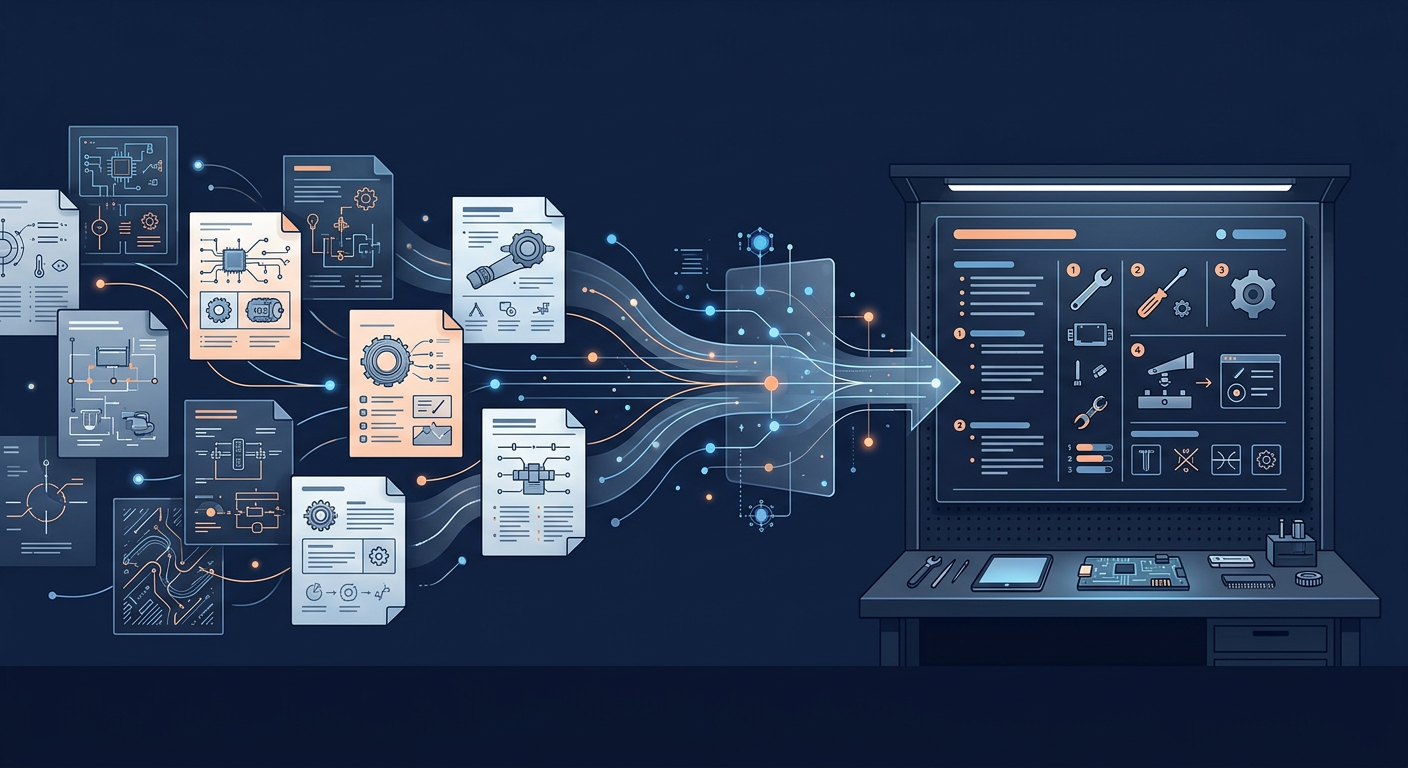
The most common question I get from operations directors after they read something about "AI in the factory" is this: fine, but how does it actually work if I want to generate a work instruction for a new line? What happens between the moment I have a stack of vendor PDFs and one old Word instruction from 2019, and the moment an operator gets a fresh, approved SOP?
This piece answers that question. With an emphasis on "actually".
It's a follow-up to my note on five AI workflows that pay off in mid-size manufacturing, where I listed SOP generation as one of the lowest-risk workflows to deploy. Here I unpack the details that didn't fit there: how the pipeline looks, which layers it has, where it tends to cost more than people expect, how to plan a pilot, and what the real cost categories are. No invented numbers, no marketing, no slides claiming "just switch it on".
Assumption: you're reading this from an operational angle, not a technical one. You're an operations director, technology manager, shift lead, or head of a technical office trying to figure out whether this workflow makes sense and what you're buying if you say yes.
Table of contents
- What actually gets generated (and what AI won't do)
- Architecture: four layers you need
- The pipeline step by step: from sources to an approved SOP
- What determines output quality
- Cost categories (and where people get burned)
- A realistic 6-week pilot plan
- When it is NOT worth deploying
- What I'm not covering here
- Next steps
What actually gets generated (and what AI won't do)
Before anything else, let's set the scope. "Work instruction generation" today covers three things worth separating.
Scope one: operational work instructions. SOPs the operator keeps at the machine. Sequence of steps, parameters, critical control points, what to do when something deviates. That's 70 to 80 percent of a typical deployment.
Scope two: health-and-safety instructions and safety procedures. Generated from risk assessment, vendor documentation and legal requirements. AI helps here, but sign-off has to come from someone with a formal mandate (safety officer, technology manager). Legal exposure for bad content lands on the company, not the tool.
Scope three: service and maintenance instructions. Procedures for periodic inspections, component replacement, diagnostics. Sits next to the service assistant workflow but is a different generation path.
What AI won't do. It won't write an instruction for a process that doesn't exist in your documents. If a shift lead "has it in his head" and never wrote the settings down, AI will not extract that. You can fix this with recorded and transcribed interviews (I've done it), but that's a separate project, not a side effect of the AI deployment. This is where many companies stall. They hope the tool will "fill in" tacit knowledge, and are disappointed when it doesn't.
Second limit: AI won't approve an SOP on your behalf. Approval is a management act with legal accountability. You can automate drafting, format validation, and routing to the approver. The "approve" click stays with a human who has the mandate.
Architecture: four layers you need
Every sensible SOP-generation pipeline has four layers. Missing any of them breaks the result. The quality of each on its own decides whether the project is worth starting at all.
Layer 1: Knowledge sources. Vendor manuals (PDF), existing instructions (Word, PDF), technical diagrams, training notes, process descriptions, MES/SCADA parameters if they can be exported, recorded interviews with shift leads (transcribed). This is the base. If the base is weak, nothing else matters.
Layer 2: Indexing and vectorization. Documents get split into chunks, tagged with metadata (which machine, which line, which version of the process), and vectorized (converted into a representation the model can understand semantically). This is the technical heart. Here lives RAG (Retrieval-Augmented Generation), which I cover separately. For an operational reader, one thing matters: without this layer, AI doesn't understand the context of your factory and produces generic output.
Layer 3: Template and generation policy. The SOP format you use (heading structure, mandatory sections, language, markers for critical points). Plus rules: what AI may not say (for example ambiguity in safety sections), when it should ask for human verification, which metadata (author, version, date, approval status) it should fill in automatically. This is where you embed your documentation discipline, which the model on its own doesn't know.
Layer 4: Validation and approval. Pipeline for routing the draft to the responsible person (technology manager, operations director, safety officer, shift lead). Mechanism for version comparison, change tracking, digital or electronic signature. Without this layer, you generate excellent drafts that sit in "pending approval" for months and never reach the operator.
Four layers. In my experience: layer 1 (sources) usually takes the most work. Layer 4 (validation) is most often underestimated. Layers 2 and 3 are the "technical guts" usually handled by the vendor or an internal IT team.
The pipeline step by step: from sources to an approved SOP
A concrete flow I've seen in working deployments. Assume we're creating an SOP for a new workstation on line X.
Step 1. The request owner (usually operations director or technology manager) defines scope. "I need an SOP for station Y on line X, material A, production variant B." The request goes through an interface (web, dedicated app, form). Underneath, the system maps this to specific sources: which vendor manual, which historical instructions, which notes, which MES parameters.
Step 2. AI generates a draft. Using sources from step 1 and the template from layer 3, the model produces the first SOP draft. Usually 60 to 80 percent of the final content is "reasonable right away". The remaining 20 to 40 percent needs corrections: terms phrased differently than your convention, safety sections needing tightening, missing references to standards.
Step 3. First automatic validation. The system checks formally: are all mandatory sections present, do normative references match the dictionary, are there ambiguous phrases in critical sections. If something is off, AI flags it. If everything checks out formally, the draft goes to the approver.
Step 4. A human approves or sends back with comments. The technology manager or operations director reads the draft. Usually: 15 to 30 minutes on the first pass, 5 to 15 on subsequent ones (once the pipeline is dialled in). Comments can be point-by-point (change one sentence) or structural (change approach to section X). Point-by-point AI handles immediately. Structural ones require a new draft with an additional instruction.
Step 5. Approval and publication. After final acceptance the SOP gets a version number, a signature (electronic or digital), and lands in the distribution system (DMS, Confluence, dedicated system, paper with a barcode at the station). The old version is archived with the ability to restore.
Step 6. Feedback loop from the floor. The operator or shift lead flags that the SOP is inconsistent with reality (you changed the tool, added a control step). The system collects these comments and factors them into the next generation cycle. This matters, because without the feedback loop SOPs go stale in the background and you don't know it.
Full pipeline in a working deployment: from request to approved SOP usually 30 to 90 minutes for updating an existing one, 2 to 6 hours for a completely new workstation. Compared with "traditional": 4 to 8 hours for an update, 16 to 40 hours for a new one.
What determines output quality
In decreasing order of impact (from my experience, with no claim to universality).
Source quality. Inconsistent terminology across manuals, old versions of schematics, no metadata (which document belongs to which machine), notes scattered across five different places. This is the first bottleneck. A deployment with no minimum order in sources delivers results at the level of "we'd be better off writing them by hand".
SOP template definition. If you have 50 instructions in 8 different formats, AI doesn't know which one to follow as the pattern. The decision "which format we start from" is a management decision, not a technical one. In practice you pick one of the existing ones (preferably the strictest) or design a new one. Decision process: 1 to 3 workshop days, but without it you don't move.
Availability of validators. If the draft goes to a technology manager who's available twice a week for an hour, cycle time falls apart. Deployment requires a conversation with the board about prioritising SOP validation. Often this means that for the first 2 to 3 months a dedicated person (part of an FTE) does nothing but validation until the rhythm stabilises.
Choice of tool and architecture. I'll cover this separately in the cost section. Briefly: not all AI platforms understand technical documentation. Some are great with general text and weak on parameter tables, diagrams and industry-specific standards (PN-EN, ISO, DIN, ASME). Testing with your real documents during evaluation is non-negotiable.
Data security. Vendor manuals are often NDA-protected. Internal processes are company know-how. If the deployment uses public models (OpenAI, Anthropic) without isolation, some manufacturers don't have the right to do it (vendor NDA, security policy, NIS2 for key entities). The architectural decision (public cloud, private deployment, on-prem) shifts cost by 30 to 100 percent. The technical view on that decision I cover separately on aionprem.pl; here I stick to the operational angle.
Cost categories (and where people get burned)
Real cost categories for an AI-driven SOP generation deployment in a 100 to 300 FTE company. Numbers from market observations, not vendor pricing sheets. Currency: PLN, as the bulk of my observations come from the Polish and CEE manufacturing market. Treat as orientation; FX and local market reality shift these meaningfully.
Category 1: Pilot.
- Scope: one line, 10 to 20 SOPs, one type of source documents.
- Time: 4 to 8 weeks.
- Cost: PLN 30 to 70k.
What goes into that figure: licence (or subscription) for the pilot period, integration work, cleaning selected sources, template configuration, training for 3 to 5 people, pilot report. What's usually missing from the quote: your people's time on draft validation. Realistically that's 40 to 80 hours of a technology manager or operations director during the pilot. Price it yourself.
Category 2: Full deployment.
- Scope: full operation, 80 to 200 SOPs, multiple document types.
- Time: 4 to 6 months from the go decision.
- One-off cost: PLN 120 to 350k.
- Annual maintenance cost: PLN 80 to 220k.
What goes in: annual licence/subscription, migration work (cleaning and indexing sources across the company), template configuration for all SOP categories, integrations with systems (DMS, ERP, MES if relevant), broad training (15 to 40 people), maintenance procedures (who updates, who monitors, who audits content).
What people don't count:
First: time on cleaning sources. Often 30 to 50 percent of the full deployment cost. If a vendor says "sources are not a problem", push further.
Second: cost of organisational change. Changing the SOP approval process often means changing responsibility splits. Something a shift lead used to do "after hours" is now formally done by another department. This rarely costs money, but it often costs board time spent resolving turf disputes.
Third: cost of keeping the knowledge base current. After the first 6 to 12 months documents go stale (new standards, machine changes, new suppliers). Without a continuous update process the result quality drops. Real cost: 0.2 to 0.5 FTE dedicated to "knowledge ops".
Category 3: Hidden infrastructure costs.
If you go with on-prem or a private instance (typical for NIS2 key entities or companies with strict vendor NDAs), you add hardware (usually GPU or an appliance), maintenance (power, cooling, monitoring) and administration. For a mid-size company: PLN 80 to 250k one-off plus PLN 30 to 80k annually.
For public-cloud deployments these costs are folded into the subscription and are usually lower nominally, but they come back as architectural constraints (where the data sits, who has access, whether it meets your compliance requirements).
Total for a 100 to 300 FTE company, year one combined:
- Cloud variant: PLN 150 to 400k.
- Private/on-prem variant: PLN 250 to 600k.
- Year two and beyond: PLN 80 to 220k a year (cloud) or PLN 110 to 300k a year (on-prem).
Treat these numbers as indicative. Every company is different, every vendor quotes differently. But the range is realistic and won't get you blindsided by a "twice as expensive" surprise.
A realistic 6-week pilot plan
If the board approved the direction and you want to start, here's a pilot plan I've seen work.
Week 1: Scope selection and source preparation.
Pick one production line. Ideally one with 10 to 20 instructions, a uniform vendor documentation type, and an engaged technology manager with a mandate to make validation calls. Gather all existing sources (manuals, old SOPs, diagrams, notes) in one place. Audit: are they consistent, are they current, what's missing.
Internal time: 8 to 16 hours total (technology manager plus IT plus line manager).
Week 2: Tool and template configuration.
The vendor (or your team if DIY) configures the pipeline, indexes the week-1 sources, defines the SOP template aligned with your standard. First test: generates 2 to 3 SOPs "dry" to see how quality holds up on your documents.
Internal time: 4 to 8 hours (technology manager validating the first tests).
Weeks 3 and 4: Generating 10 to 20 SOPs.
Iteratively: you generate a draft, the technology manager validates, AI learns from the comments, you generate another. After one week the first-draft quality usually jumps (fewer manual corrections). After two weeks the pipeline is "dialled in" to your specifics.
Internal time: 30 to 50 hours (technology manager plus shift lead plus possibly safety officer for safety-section validation).
Week 5: Verification on the floor.
Pick 3 to 5 generated SOPs, give them to operators for actual use. Collect feedback (is the instruction understandable, does it match reality, are any elements misleading). Correct.
Internal time: 8 to 16 hours (shift lead plus line manager plus operator).
Week 6: Decision and report.
Final measurement: how many hours we saved compared with writing by hand (measure concretely), what first-draft quality looks like (percent of content that needs no correction), how much validator time we burned. Report for the board with a recommendation: scale, stop, or change approach.
Internal time: 4 to 8 hours (operations director to write the report, technology manager to verify metrics).
Total internal pilot time: 50 to 100 hours of your people's work. This is the second cost component of the pilot, not on the vendor's quote. Priced hourly (technology manager PLN 150 to 250, operations director PLN 200 to 350) that's an extra PLN 10 to 30k.
Realistic total pilot cost, i.e. what the CFO will see: PLN 40 to 100k. If the vendor shows you PLN 25k, ask what's out of scope.
When it is NOT worth deploying
Three situations in which AI-generated SOPs won't pay back inside 18 months, or are simply the wrong priority.
Situation 1: A small company with low SOP turnover. If you have 10 to 20 stable instructions you update less than once every 2 years, the value of deployment is marginal. Better priority: order in existing documents, possibly a simple document management system (DMS) without a generation layer.
Situation 2: No validators. If you don't have a technology manager, operations director, or a dedicated person with a mandate to validate SOPs, AI generation only creates more drafts in approval bottlenecks. Value appears only when there's someone to work with the generated content.
Situation 3: Operation in flux. If the company is mid-restructure, mid-ERP-change, mid-acquisition, changing location, adding new production lines monthly, generating SOPs before processes stabilise is work on muddy ground. Better: wait 6 to 12 months, stabilise, then deploy.
In each of these "no" doesn't mean "never". It means "not now".
What I'm not covering here
Three areas I'll come back to separately.
First, the technical architecture of the RAG layer. How to design chunking, which embeddings to choose, how to optimise retrieval for technical documentation with tables and diagrams. I cover this separately in the RAG cluster, also for the technical audience on aionprem.pl.
Second, integration with existing document management systems (DMS). SharePoint, Confluence, industry-specific DMS (e.g. SOLIDWORKS PDM for engineering firms) have different integration profiles. Each deserves its own treatment.
Third, AI Act and SOPs. Is a generated SOP an "AI system" within the meaning of the AI Act, what obligations apply, who picks them up (you as operator or the vendor as provider). An important topic but it needs a separate legal analysis. I'll likely come back to it when the AI Act enters enforcement phase for high-risk systems (2027).
Next steps
If this workflow interests you, two concrete steps worth taking in the next few weeks.
First: source inventory. Regardless of the deployment decision, an audit of your technical documentation is work that pays for itself. Half an FTE for a month and you know where you really stand.
Second: a conversation with the technology manager and operations director about the priority of SOP updates. If the answer is "we do it when we have time", AI won't change that. If the answer is "we do it systematically, but it doesn't keep up", AI makes sense.
Third, bonus: if a pilot is on your mind but you want to count "what this actually means here" first, I'm happy to share observations. No sales rep, no deck, 30 minutes. Just book a slot.
Next note: the AI service assistant in a mid-size manufacturer - why it tends to be the first workflow companies pick, and what's worth knowing before you sign a pilot.
Fryderyk Pryjma writes about AI in Polish and European manufacturing. He also builds his own tool in that category.
Related notes

AI service assistant and maintenance: what works, what does not
An AI service assistant is one of the few uses of AI in maintenance that pays off at a mid-sized factory without a three-year wait. Three uses that genuinely work, two that usually disappoint, who it pays off for, and where to start.
AI in a mid-sized factory in 2026: what stuck, what fell away
A review of the first half of 2026 in mid-sized manufacturers: which AI use cases made it into daily work, which stayed on the slide deck and what made the difference.
AI for Service Knowledge Management: Feeding the System and Its Limits
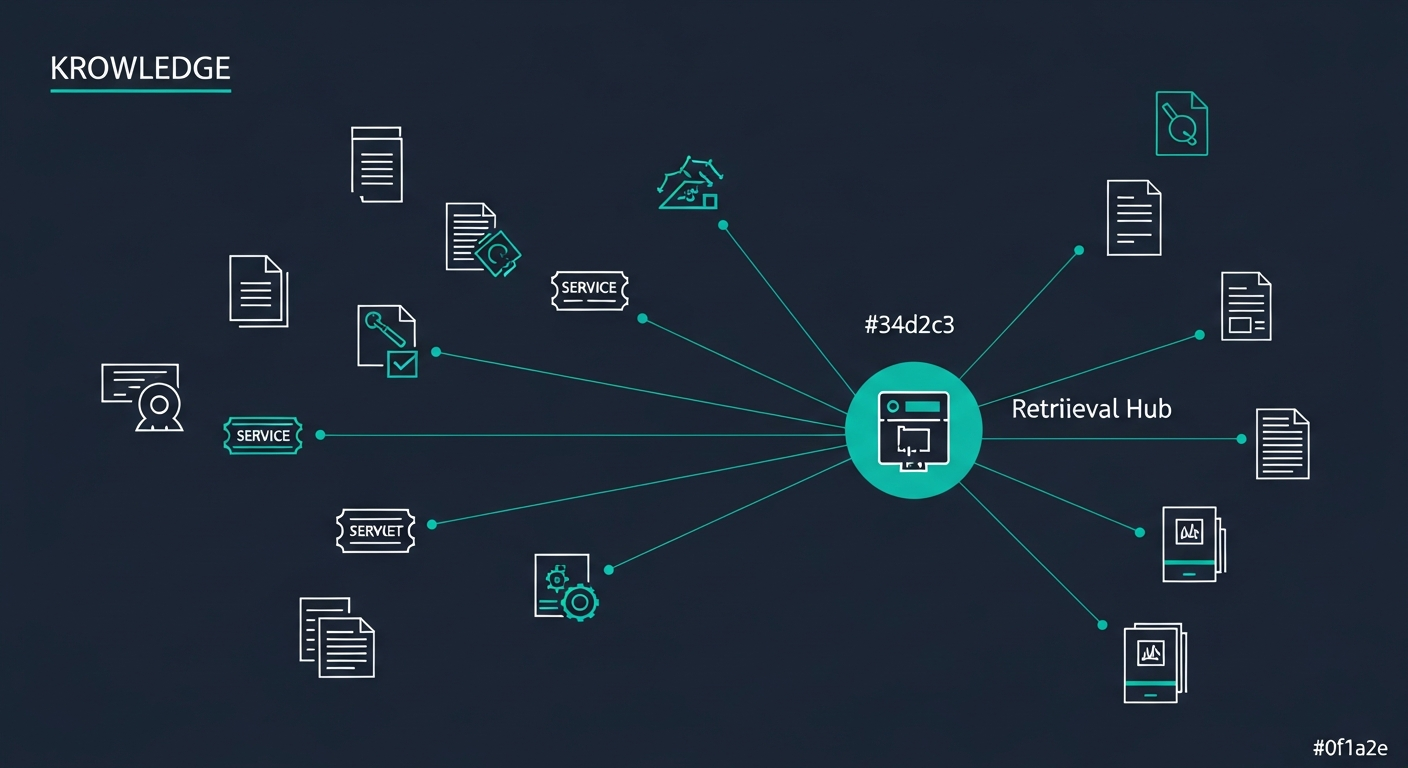
A service assistant is only as good as the knowledge you feed it. This post is about that knowledge: where it lives, how it reaches the model, why retrieval sometimes fails, and how to keep quality from rotting as ticket volume grows.