Five AI workflows that already pay off in European manufacturing
Five concrete AI workflows that pay off in under 18 months at a mid-sized European manufacturer. Service assistant, SOP generation, drawing-to-offer, knowledge orchestration, audit support. Numbers, pitfalls, and a 4-week framework to start.
In this note
A mid-sized European manufacturer in 2026 does not need a grand AI narrative. It needs things to simply stop hurting. Service tickets nobody has time for. Workstation instructions that have been out of date for three years. Technical offers prepared in two weeks instead of three days. Product knowledge sitting in the heads of two people, one of whom retires next year.
Not everything can be solved with AI. Most things cannot be solved with AI. But in five specific places AI fixes enough that the investment pays back in less than 18 months. Those are the five places.
I write from a practitioner's perspective, not a salesperson's. I take notes on workflows I have observed (in my own deployments and at others) in companies of 50 to 500 people. Each one has the same profile: one concrete problem, one measurable saving, a short path to a pilot in 6 to 10 weeks, ROI under 18 months.
Three things this piece does not cover. First, I am not discussing line-side computer vision (visual quality control). It works in selected contexts, but the capital expenditure is usually too high for a mid-sized manufacturer to land inside 18 months. Second, I am not discussing predictive maintenance. It needs huge historical datasets and sensors a mid-sized company rarely has. Third, I am not discussing production planning or APS. That is an optimization problem, not a generative one, and AI does not yet bring a critical edge here.
The rest is an attempt at an honest map.
Table of contents
- What "pays off" means
- Workflow 1: Technical service assistant
- Workflow 2: Generating work instructions and SOPs
- Workflow 3: Drawing-to-offer
- Workflow 4: Organizational knowledge orchestration
- Workflow 5: Audit and compliance support
- What I did not count here (honestly)
- How to start: a four-week framework
- Summary
What "pays off" means
I use a practical definition here, not an accounting one. A workflow "pays off" if the total cost of deployment and maintenance over the first 18 months returns in measurable savings (working hours, escalation reduction, shorter sales cycle, fewer audit errors) in the same period.
This metric does not cover hidden costs: process change, organizational resistance, required role shifts. These costs are real and often larger than the license. I come back to them in the "How to start" section.
The numbers I cite come from market observations. Every implementer has their own range, every company is different. Treat these numbers as a starting point for your own calculation, not a promise.
Workflow 1: Technical service assistant
What it does
A service technician (internal or external) gets a ticket where the customer describes the problem in their own words. Often incompletely, sometimes incorrectly. The classic path: the technician searches documentation, calls a senior colleague, looks at ticket history. Average response time grows with vacations, churn, and a growing equipment portfolio.
An AI service assistant takes the ticket text (or its transcript from a phone call), compares it with your technical documentation, vendor manuals, history of resolved tickets, and internal notes. The output: a proposal of three to five first diagnostic steps, with references to specific documentation pages or past tickets. The technician decides, accepts or rejects. AI does not replace the human, AI removes the first 20 minutes of searching.
Why it pays off
In a mid-sized manufacturer one technician handles dozens of tickets monthly. Cutting average preliminary diagnostic time by 30 to 50 percent (usually 15 to 30 minutes per ticket) frees up a dozen-plus hours of specialist time monthly. At EUR 25 to 50 per hour of experienced technician work, that is EUR 4 to 13k annually just from time. Add escalation reduction to the "last expert" (usually the most expensive person in the organization), shorter onboarding for juniors, and a first-time-fix rate uplift of a few percent. The annual sum at a mid-sized manufacturer comfortably covers the deployment and license annually.
Approximate numbers
Pilot deployment: 6 to 10 weeks. Pilot cost: EUR 9 to 20k. Annual maintenance cost after deployment: EUR 14 to 40k (depending on scale and billing model). Typical payback in 8 to 14 months.
Pitfalls
Three biggest ones. First, the quality of your documentation. AI generates based on what it gets. If manuals are inconsistent, ticket history not indexed, and notes scattered across SharePoint, OneDrive, and several mailboxes, the result will be mediocre regardless of model. The first four weeks of deployment are often source cleanup, not AI configuration.
Second, the organizational culture of the service department. Senior technicians often do not want to "compete" with a tool that proposes a solution. Without the service head's support and clear communication ("AI is for you, not instead of you"), deployment stalls at the pilot level.
Third, data security. Technical documentation and ticket history are often sensitive data (customers, machine settings, critical failures). Architecture choice (public cloud, private instance, on-prem) changes the risk profile. That is a topic for a separate piece.
When NOT to deploy
If you have under 200 service tickets per year, time savings will not cover deployment. If your service is two experts who know the portfolio inside out, AI will not speed them up in the short horizon. Scale and knowledge fragmentation are two sine qua non conditions.
Workflow 2: Generating work instructions and SOPs
What it does
You have vendor technical documentation. You have your own training notes. You have team memory. What you are missing is an updated, unified workstation instruction for an operator starting in two weeks. The classic path: the production manager sits down in the evening and writes the SOP from scratch, using four sources and personal experience. It takes days, the result is mediocre, the next update is in a year.
AI takes your sources (manuals, old instructions, production documents, schematics) and generates an instruction draft in your format (Word, Confluence, a dedicated tool). A human (manager, technologist, shift lead) verifies, corrects, and approves. The second pass, the same draft after two weeks of process modification, is 30 minutes, not two days.
Why it pays off
In a mid-sized manufacturer 50 to 200 workstations means 50 to 200 instructions. Updating one instruction "traditionally" takes 4 to 8 hours (including gathering information and consultation). With AI: 30 to 90 minutes. With 30 updates annually and six hours saved on each, that is over 100 hours of freed-up key role time (technologist, shift lead, production manager). These are hours you want to return to operations, not to documentation.
Additionally: quality. Terminology consistency in SOPs grows, because they are all generated from the same core. Easier to audit, easier to translate, easier to train on.
Approximate numbers
Pilot deployment (one line, 10 to 20 SOPs): 4 to 8 weeks, cost EUR 7 to 16k. Full deployment for a 100 to 300 FTE manufacturer: 4 to 6 months total. Payback: 10 to 16 months.
Pitfalls
First: source quality. If vendor manuals are in inconsistently scanned PDFs, schematics in old AutoCAD versions, and notes on sticky pads next to the machine, AI will not work miracles. Digitization and at least basic source labeling are necessary.
Second: validation. An SOP is not literature, an SOP is an obligation. A generated instruction must pass technologist or safety officer review. If the organization lacks discipline in approval, generated SOPs start to accumulate "pending approval" for months and the deployment loses its point.
Third: legacy SOPs. Existing instructions are often so varied in format that AI does not know what to follow. The decision "which SOP do we start from as a template" is a management-strategic decision, not a technical one. In practice it takes 1 to 3 workshop days, but without it you do not move.
When NOT to deploy
If you have 5 to 10 stable SOPs you do not update more often than every 3 years, it is not worth it. Value appears at 30-plus instructions and process rotation (new products, new lines, new machines, frequent modifications).
Workflow 3: Drawing-to-offer
What it does
A customer sends an inquiry with a technical drawing PDF attached, sometimes DWG, sometimes a scan with handwritten dimensions. The classic path: the drawing goes to the engineering office, the technologist interprets, selects materials, calculates machining, hands off to sales, which adds margins and prepares the offer. Cycle: 7 to 21 days. During that time the customer is already talking to competitors.
AI extracts technical data from the drawing (dimensions, tolerances, material, normative markings), compares with your catalog of standard products (or history of similar jobs), selects a potential technology, and generates a BOM and a calculation draft. The sales engineer gets 70 percent of the work done in 15 minutes. The rest is verification, non-standard elements, and commercial settlements.
Why it pays off
Cutting the offer cycle from 14 days to 3 days does not just free people up. Cycle compression affects win rate. In industries where a mid-sized manufacturer competes with 2 to 4 other suppliers, the customer often picks the first one with a serious offer. Shorter cycle means a higher win rate.
In numbers: an average engineering office at a 100 to 300 FTE manufacturer handles 200 to 800 inquiries annually. Cutting offer time by 60 to 70 percent frees 30 to 50 percent of sales engineer capacity (the most expensive people in the company after chief engineers). Plus a 5 to 15 percent win rate uplift. This is the biggest money on the whole list.
Approximate numbers
Pilot deployment (one product category, one drawing type): 8 to 14 weeks, cost EUR 18 to 40k. Full deployment: 6 to 12 months. Payback: 9 to 14 months, with the caveat that this is the workflow with the highest acceleration potential (if win rate rises, payback can be significantly shorter).
Pitfalls
First: drawings vary. A standard technical drawing PDF from one supplier is not the same as a 1998 drawing scan with margin notes. AI handles the first well, the second poorly. The pilot has to start with a drawing category where source quality is high.
Second: tolerances and standards. Dimensions alone are not enough. Tolerances, roughness markings, material standards (PN-EN, ISO, DIN) must be recognized consistently. This requires either a well-described catalog or training on your historical offers.
Third: ERP/CRM integration. The generated BOM has to land in calculation in your system. If your ERP does not have a reasonable API, integration will be costly and may raise the deployment threshold. Worth checking before starting the pilot.
When NOT to deploy
If you produce 5 to 10 standard products from a configurator (e.g. standard windows, doors), drawing-to-offer brings no edge: you already have a configurator de facto. Value appears where offering is "custom" or "semi-custom" and every drawing is a variant.
Workflow 4: Organizational knowledge orchestration
What it does
An employee (any role) asks: "How do we set the machining parameters on line X for material Y?" The classic path: they ask a senior colleague, call the technologist, search SharePoint. AI with access to your documentation answers in 10 seconds, always with a reference to the source document. If the answer is not in the documents, it routes to the right person (based on competency mapping).
This is an "internal copilot" for operations, but with a caveat: only in a narrowly defined scope of knowledge. Not a general chatbot, just an assistant for your technical documentation and procedures.
Why it pays off
This is the workflow with the hardest ROI to prove (time saved spreads across hundreds of people in small increments). But there are two return channels that work.
First: reducing dependence on flagship experts. Every company has 2 to 5 people who "know everything". Every question to them costs a work interruption. Every absence (vacation, illness, departure) is an operational cost. AI does not replace the expert, but it removes 60 to 80 percent of routine questions that used to land on them.
Second: time to onboard new employees. Onboarding in mid-sized manufacturing is 4 to 12 weeks of "productive lockout" (a junior needs continuous support). AI shortens that by 20 to 40 percent.
Approximate numbers
Pilot deployment (one area, e.g. maintenance): 6 to 10 weeks, cost EUR 11 to 27k. Full deployment (whole operation): 4 to 9 months. Payback: 14 to 18 months (on the edge of the 18-month threshold, so you have to calculate well).
Pitfalls
First: expectations. If we communicate to the organization "AI will answer everything", but it only answers questions from your documentation, trust drops after the first week. Communication during deployment is more important than configuration.
Second: source updates. Organizational knowledge is not a static set. Processes change, standards change, people change. Without a continuous update process, AI starts to give outdated answers after 6 to 12 months and loses its reputation.
Third: boundaries. Not everything can be written down. Tacit knowledge of experts often has no document form and AI does not cover it. Worth knowing where the scope of knowledge orchestration ends and the need for human contact begins.
When NOT to deploy
If your company is under 80 people and the knowledge is actually carried by 3 people, their availability is greater value than distribution via AI. Value appears at 150-plus FTE and geographic dispersion of teams.
Workflow 5: Audit and compliance support
What it does
An audit is coming up: ISO 9001 renewal, customer audit, regulatory audit (in 2026 NIS2 was added for key entities, AI Act for selected systems is on the way). The classic path: the quality or security team runs around the organization gathering evidence, meaning documents, records, logs, action plans. Takes weeks, the result is incomplete, the auditor finds gaps.
AI with access to internal documentation and audit requirements mapping generates an evidence list (for every requirement: where to look, what was found, what is missing). Pre-audit gap analysis done in 2 days instead of 4 weeks. The actual audit you handle with more calm and lower non-compliance risk.
Why it pays off
Direct savings: time of the compliance team and external audit consultants (often EUR 11 to 45k per project). AI reduces this by 40 to 70 percent.
Indirect, but often bigger: non-compliance risk reduction. With NIS2 a failed audit means fines up to 2 percent of annual turnover (for key entities) plus personal accountability of the board after the UKSC amendment. This is not about savings, this is about not falling into a problem that can destroy the company.
Approximate numbers
Pilot deployment (one framework, e.g. ISO 9001 or NIS2): 4 to 10 weeks, cost EUR 9 to 22k. Payback: 9 to 14 months (factoring in risk reduction, actually faster).
A technical deep dive on NIS2 and the AI Act is covered separately on aionprem.pl. Here I stay with the operational view.
Pitfalls
First: AI does not replace the auditor. It generates evidence, not interpretations. The "compliant / non-compliant" decision stays with a human, ideally with a formal mandate.
Second: currency of mappings. Regulations change (NIS2 audits start April 2028, AI Act phase for high-risk systems 2027). Requirement mapping needs updating every few months.
Third: data separation. Audit documentation is sensitive (incidents, non-conformities, corrective plans). Architecture choice (who sees the data, where it is stored, who processes it) is critical here and should not be postponed.
When NOT to deploy
If you go through an external audit once every 3 years and have one dedicated person who "handles" the whole thing manually, ROI is weak. Value appears at 2-plus audits per year or one major regulatory audit (NIS2, AI Act, industry regulator).
What I did not count here (honestly)
A list of workflows that sound good, are tempting in presentations, but rarely pay off in 18 months at a mid-sized European manufacturer.
Predictive maintenance. Requires long sensor data history, a stabilized machine topology, and a data engineer team. Mid-sized companies typically lack either sensors or the team. I will return to this topic when observation shifts, but as of 2026 it does not qualify.
Line-side computer vision (quality control). Works great in single applications (e.g. defect detection on a specific line). CapEx (cameras, lighting, calibration, PLC integration) plus a dedicated model trained on your defects is typically EUR 70 to 180k per line. Real payback, but rarely under 18 months at mid-scale.
APS and production planning. This is an optimization problem, not a generative one. Existing tools (Asprova, PlanetTogether, AIMMS) are better than "AI" built from scratch. The discussion about where generative AI will enter is open, but today this is not a category where payback is certain.
External customer service chatbots. Work in B2C and in simple industries. In mid-sized manufacturing, where the customer is another business with a technical question, a chatbot without deep knowledge frustrates instead of helping. You have to give it access to the same base as the service assistant, which means returning to workflow 1.
AI for demand forecasting. Forecasting algorithms work, but mid-sized manufacturers typically lack clean historical data and uniform SKUs. Clean up the data first, then forecast.
This is the current map. In 12 months the map will be different and I will gladly note it down.
How to start: a four-week framework
If you have four weeks and one operations director who wants to figure out "does AI make sense for us", here is the plan I have seen working.
Week 1: Inventory
Goal: find out where it really hurts and how much it costs. Without this part, every subsequent decision is guesswork.
Specifics: three 90-minute conversations with three operational roles (service head, technologist, engineering office head or sales engineer). Same questions in every conversation: where do you lose time, what do you do repetitively, what do you not get done, how many people in the organization "know the same thing".
Week 1 output: a list of 5 to 10 specific cost sources (with rough valuation in EUR per year).
Week 2: Pick one workflow
Goal: do not pilot five things at once. We pilot one.
Selection criterion: biggest cost from the week 1 list, multiplied by highest pilot success probability (source quality, people readiness, integration availability). From my experience: 9 out of 10 mid-sized manufacturers pick the service assistant or SOP generation. Those are the two least risky workflows in deployment, most often delivering quick measurable value.
Week 2 output: a "we are piloting X" decision with justification and success metrics.
Week 3: Vendor conversations
Goal: understand the vendor landscape for the chosen workflow. Not to sign. To talk.
Specifics: 3 to 5 conversations (30 to 45 minutes) with AI platform vendors or vendors who specialize in the chosen workflow. Every conversation the same structure: how it works, who already uses it in European manufacturing, what infrastructure requirements, what billing model, how long the pilot, what the pilot costs. Plus a control question: "If the pilot does not work, what are the exit criteria?"
Week 3 output: a comparison table with 3 to 5 vendors and one pick (or two, if a sensible DIY-on-open-source idea emerges).
Week 4: Go/no-go decision
Goal: management decision, not operational.
Specifics: a presentation for the board (or CEO if the company is small) with four slides: problem (with a EUR number), proposed workflow, vendor with justification, 8-to-12-week pilot plan with metrics and go/no-go criterion. Decision: we start or we do not.
Week 4 output: either a pilot agreement or a "we will wait until Q1 2027" decision. Both decisions are legitimate. A non-decision is the worst option.
Summary
Five workflows where AI at a mid-sized European manufacturer pays off in under 18 months:
- Technical service assistant. Fastest path to measurable value. ROI 8 to 14 months.
- Generating work instructions and SOPs. Lowest deployment risk. ROI 10 to 16 months.
- Drawing-to-offer. Highest sales growth potential, not just cost cutting. ROI 9 to 14 months.
- Organizational knowledge orchestration. Hardest ROI to prove, but strategic. ROI 14 to 18 months.
- Audit and compliance support. Highest risk reduction. ROI 9 to 14 months, faster in practice when regulatory risk is factored in.
In the coming weeks I plan deeper posts on each of them separately, with numbers from concrete deployments. If one interests you more than others, let me know on LinkedIn.
Next note: what a pilot of an AI service assistant really costs at a mid-sized manufacturer. Specifics, cost categories, what is not in the vendor proposals.
Related reading
- Drawing-to-offer: from a technical drawing to a quote
- AI technical service assistant: why a mid-sized manufacturer is a good candidate
- AI for generating work instructions: how it works and what it costs
- AI in the design office: what it really automates and what it only promises
Fryderyk Pryjma writes about AI in European manufacturing. He also builds a product in this category.
Related notes
AI service assistant and maintenance: what works, what does not
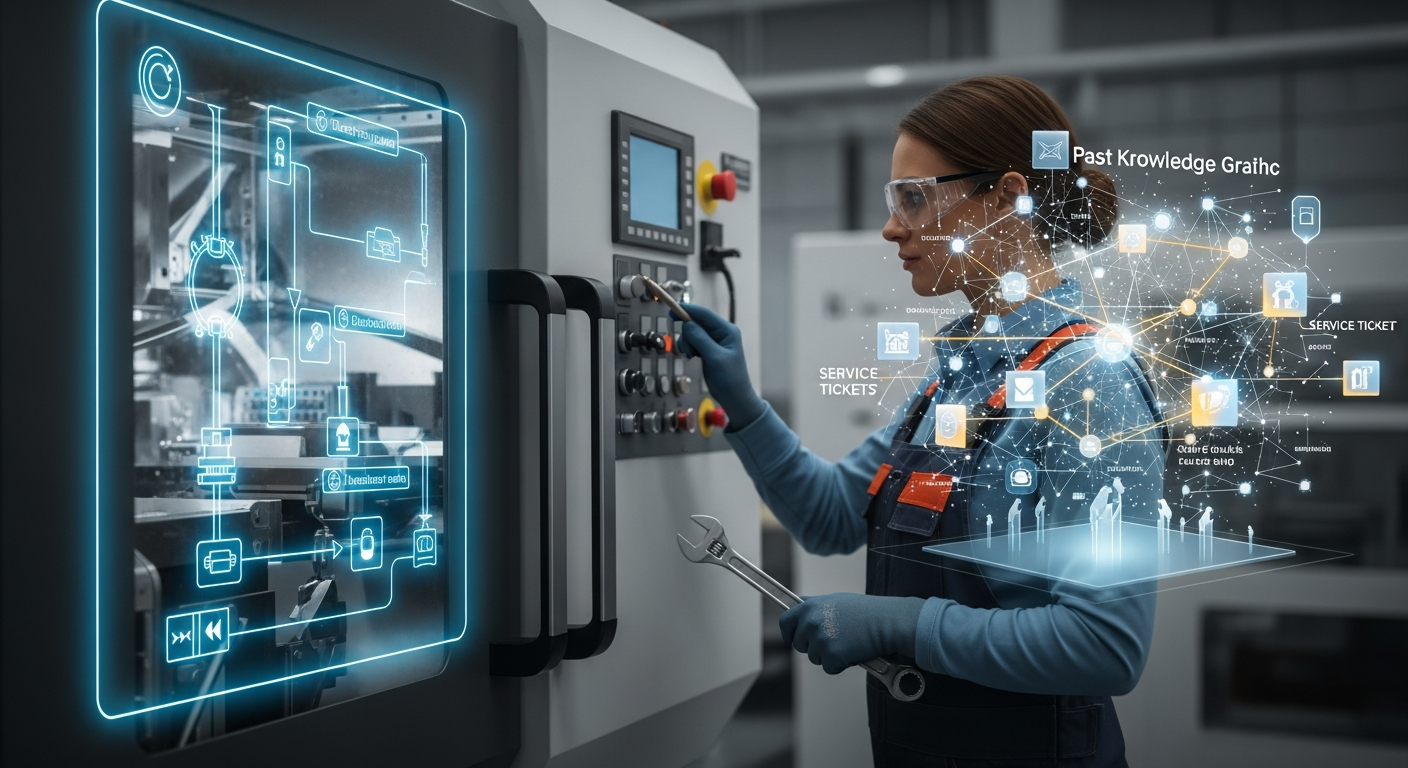
An AI service assistant is one of the few uses of AI in maintenance that pays off at a mid-sized factory without a three-year wait. Three uses that genuinely work, two that usually disappoint, who it pays off for, and where to start.
AI in a mid-sized factory in 2026: what stuck, what fell away
A review of the first half of 2026 in mid-sized manufacturers: which AI use cases made it into daily work, which stayed on the slide deck and what made the difference.
AI for Service Knowledge Management: Feeding the System and Its Limits
A service assistant is only as good as the knowledge you feed it. This post is about that knowledge: where it lives, how it reaches the model, why retrieval sometimes fails, and how to keep quality from rotting as ticket volume grows.